Free for Mac · macOS 14+Formerly SpaceLint
Clean developer storage. Know what you remove.
DiskSteward helps you find storage used by developer tools, review cleanup candidates, and make room on your Mac.
FreeNo license key requiredLocal scanning
FreeAll features, with no license key.
7 daysQuarantine for eligible files.
ReviewChoose what to clean.
LocalScanning happens on your Mac.
Find the storage developers use.
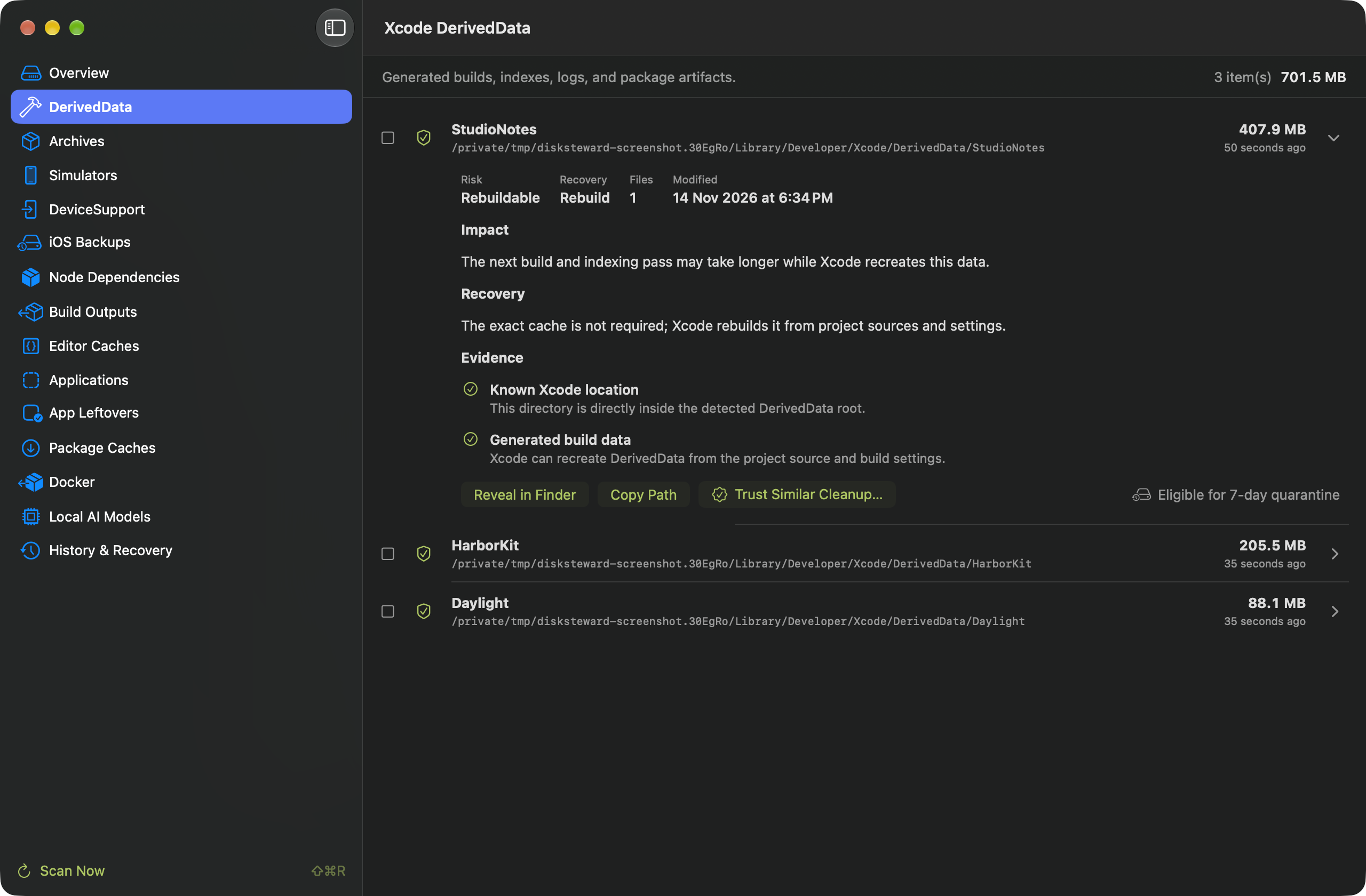
Explore familiar tool locations and review the results before making changes.
Packages, Docker, and editors
AI models and device backups
Uninstall and review leftovers
Review installed apps and associated files as part of an uninstall.
Review before you remove.
Scanning does not automatically clean your files. Choose the items you want to act on and review the confirmation.
Scan locally
Find recognized storage on your Mac.
Review
Inspect the results and select what you want to remove.
Quarantine
Eligible files are held for seven days so they can be restored.
Restore or delete
Restore eligible files or confirm permanent removal when you are ready.
Practical Mac storage guides.
Learn what common storage categories contain and what to review before cleanup.
Clean DerivedData safely
What Xcode stores there and what rebuilding can cost.
Read the guide →Find unused node_modules
Review project dependencies before removing them.
Read the guide →Reduce Docker disk usage
Understand images, containers, build cache, and volumes.
Read the guide →Manage model storage
Understand storage used by local AI models.
Read the guide →Uninstall apps and leftovers
Review app data and leftovers before removal.
Read the guide →Simulators and DeviceSupport
Learn what simulators and device support files store.
Read the guide →More Mac apps from Quartz
 Tuck
Hide menu bar icons you rarely use and bring them back when you need them.
 Facet
Find and launch Mac apps from a fullscreen grid with folders and search.
 PeekMark
Preview Markdown with Quick Look and explore local notes with search, backlinks, and a graph.
 Exitglass
Check your public IP, network leaks, and connection details from your Mac.
 Lemvia
Translate selected text or capture text from your screen with OCR, then work with both languages side by side.
Questions about DiskSteward.
Understand how the free release and recovery work.
Is DiskSteward free?
Yes. DiskSteward 1.1 is free, with no license key required. Thank you to everyone who supported SpaceLint.
Does quarantine free disk space?
No. Quarantined files still occupy disk space until they are permanently removed.
Can I recover removed files?
Eligible files are quarantined for seven days and can be restored if their original location is available. Permanent deletion cannot be undone.
Does scanning upload my files?
Scanning and cleanup happen locally on your Mac.
Free for macOS 14+
Make room with a little more clarity.
DiskSteward 1.1 is free for everyone.